LLM Quantization: A Deep Dive into GPTQ, AWQ, and Post-Training Quantization
 By Bishwambhar Sen
Large Language Models (LLMs) are massive, requiring billions of parameters to achieve state-of-the-art reasoning. Storing and serving these models is computationally expensive:
- A 70-billion parameter model stored in FP16 (16-bit Floating Point) requires 140 GB of VRAM just to load.
- This exceeds the capacity of standard consumer GPUs, requiring enterprise-grade hardware cluster setups.
Quantization reduces this memory requirement by converting model weights from high-precision formats (like FP16) to lower-precision formats (like INT4 or INT8).
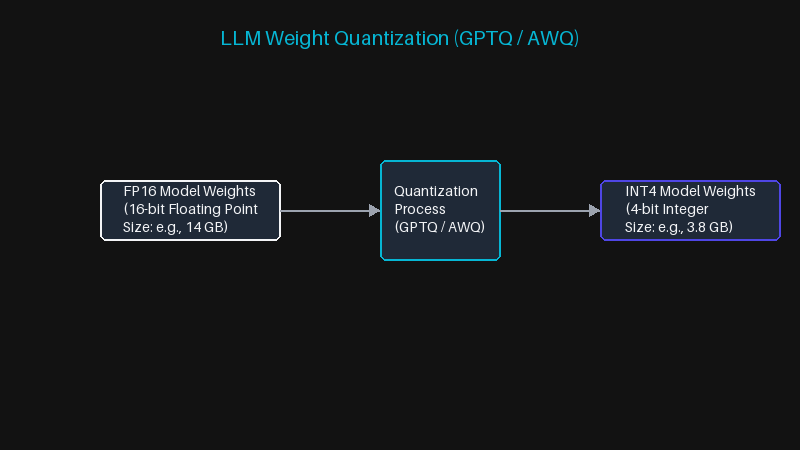 LLM Weight Quantization (GPTQ / AWQ)
The Math of Quantization
Quantization maps a continuous set of float values x to a discrete set of integer values q. The linear quantization mapping formula is:
q = \text{round}\left( \frac{x}{S} \right) + Z
where S is the scale factor (a float value) and Z is the zero-point offset (an integer). The dequantization process back to float is:
x_{approx} = (q - Z) \cdot S
When quantizing an entire model, the goal is to minimize the reconstruction error of the network activations.
GPTQ vs. AWQ
There are two primary algorithms for Post-Training Quantization (PTQ) of LLM weights:
-
GPTQ (Generalized Post-Training Quantization):
- Uses second-order information (inverse Hessian matrix) to adjust remaining weights after quantizing a specific weight row.
- It performs row-by-row optimization, minimizing the squared error of layer activations.
- Provides excellent accuracy for 4-bit quantization but can suffer from outlier activation errors.
-
AWQ (Activation-aware Weight Quantization):
- Recognizes that not all weights are equally important. Only 1% of weights (salient weights) dictate the majority of the model's accuracy.
- Protects these salient weights by keeping them in higher precision or scaling them up, while quantizing the remaining 99% of weights.
- This selective approach maintains accuracy close to FP16 levels without needing complex inverse Hessian computations.
Quantization Formats Comparison
| Format | Precision | Target Hardware | Primary Use Case | |---|---|---|---| | FP16 | 16-bit Float | Nvidia H100 / A100 | Training & High-end Serving | | INT8 | 8-bit Integer | Standard Server GPUs | Mid-range deployment | | INT4 (GPTQ/AWQ) | 4-bit Integer | Consumer GPUs / Edge | Local deployment & Low cost |
Running a Quantized Model in Python using vLLM
Here is how you can initialize and serve an AWQ-quantized model using the vllm library:
from vllm import LLM, SamplingParams

# Load a pre-quantized AWQ checkpoint (~4 GB VRAM instead of ~14 GB in FP16)
llm = LLM(
    model="TheBloke/Llama-2-7B-Chat-AWQ",
    quantization="awq",
    dtype="half",
    gpu_memory_utilization=0.90,
)

sampling_params = SamplingParams(temperature=0.7, top_p=0.95, max_tokens=256)

prompts = [
    "[INST] Explain what a KV cache is in two sentences. [/INST]",
    "[INST] Write a Python function that reverses a linked list. [/INST]",
]

outputs = llm.generate(prompts, sampling_params)

for output in outputs:
    print("PROMPT:", output.prompt)
    print("COMPLETION:", output.outputs[0].text.strip())
    print("-" * 60)
Conclusion
Quantization is not free, and the accuracy tables in the papers understate the cost. Perplexity on WikiText barely moves at 4 bits, which is why it gets quoted — but perplexity is a weak proxy. The degradation shows up disproportionately in long-chain arithmetic, structured output that must parse as valid JSON, and non-English generation. If your product depends on any of those, benchmark on your own task before trusting a 4-bit checkpoint, because a 0.1 perplexity delta can hide a 6-point drop in JSON validity.
The other thing worth knowing is when not to quantize. If your workload is small-batch and memory already fits, INT4 can be slower than FP16, because dequantization overhead dominates when you are compute-bound rather than memory-bound. Quantization wins on memory-bound single-stream decoding and on fitting a bigger model onto a smaller card. It does not automatically win on throughput for large batches.
That points at the decision most people get backwards: an INT4 13B model usually beats an FP16 7B model on the same VRAM budget. Given a fixed card, quantizing a larger model is generally the better trade than running a smaller one at full precision. Between the two algorithms, AWQ tends to be the safer default — faster to produce and less sensitive to the calibration set — while GPTQ is worth the extra effort when you have a domain-specific calibration corpus that actually resembles your production traffic.
Go deeper in the course
- LLM Fine-Tuning & AdaptationLesson 3: Parameter-Efficient Fine-Tuning: LoRA & QLoRALearn how LoRA injects trainable low-rank matrices without touching base model weights. Understand how QLoRA adds 4-bit quantization to make 70B model fine-tuning feasible on a single GPU.
- AI System Design for EngineersLesson 1: Model Selection — Capability, Cost & Latency Trade-offsBuild a systematic decision framework for choosing the right model for each task. Understand the capability/cost/latency triangle and how to navigate it with benchmark data.